Free Antivirus vs Paid Antivirus: What to Buy
Free antivirus vs paid antivirus compared on lab scores, features, support, updates, privacy, and which households should pay in 2026.
The most popular advice in the free antivirus vs paid antivirus debate is also the least useful. People tell you to pay because paid must be safer. Independent labs don't support that shortcut. A free product can block malware as well as a premium suite, while a paid plan can still be worth buying for reasons that have nothing to do with detection. The useful question isn't which tier sounds stronger. It's which specific problem you're paying to solve.
Price Is a Weak Signal for Protection
A free antivirus can reach the same top protection score as a paid suite in a current test round. That result breaks the usual assumption. If both products stop the same malware in testing, upgrading doesn't automatically make your computer safer.
Free antivirus means a zero license product that still scans in real time and receives signature updates. Paid antivirus means a subscription that often keeps a similar detection engine and charges for extras, such as more devices, identity tools, a VPN, parental controls, or help from a person when something breaks.
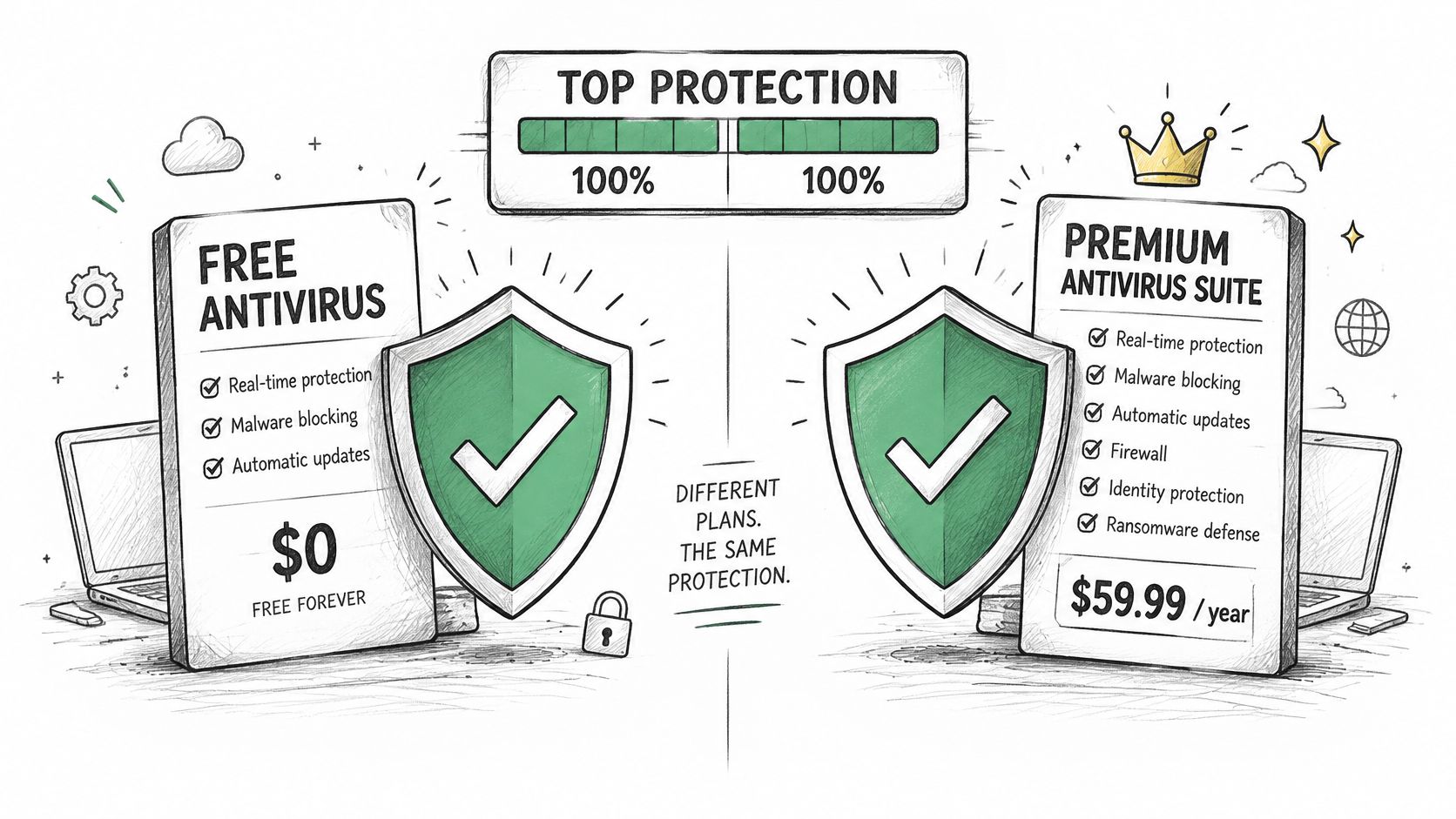
Judge both tiers by the same evidence. AV-TEST scores protection, performance, and usability from 0 to 6 in each category. AV-Comparatives runs free and paid products through the same live attack tests. Those shared tests matter more than packaging.
Start with the score table, then look at where subscription money goes. Check privacy and renewal risk before you buy. Then match your household to the cases where paying solves a named problem, and use the free setup steps if it doesn't.
This applies whether you're a Windows or Mac home user with one computer, a household juggling three, someone who only wants fewer pop-ups, or someone who already suspects an infection. Don't upgrade by default. Find the household row that looks like yours and pay only if that row names a gap you have.
Lab Scores Free and Paid Products Share
A free product can reach the same lab-score ceiling as a paid suite. The useful comparison is the result in a specific test, not the price tag.
| Product | Tier | Test and period | Result | What the score does not prove |
|---|---|---|---|---|
| Avast Free Antivirus | Free | AV-TEST Windows 11 cited round | 6/6 protection, 6/6 performance, 6/6 usability, 18/18 | That every free product matches this score |
| Bitdefender Total Security | Paid | AV-TEST published comparison | Capable of maximum category scores | That paying raises the score ceiling |
| Norton 360 | Paid | AV-TEST published comparison | Capable of maximum category scores | That it out-detected Avast Free in that round |
| AVG Antivirus Free | Free | AV-TEST Windows 11 evaluation, reported period | 99.9% of 297 zero-day samples; 100% of 12,543 reference samples | That the result holds for every product version or month |
| Avast Free, AVG Free, Avira Free | Free | Same AV-Comparatives 2025 real-world test | Tested beside paid products in one framework | Their exact block counts, which the cited summary does not list |
A Tied Ceiling
In the cited round, AV-TEST's Avast results show Avast Free Antivirus scoring 6/6 for protection, 6/6 for performance, and 6/6 for usability, for a total of 18/18.
AV-TEST also lists Bitdefender Total Security and Norton 360 as capable of the same maximum category scores. The score ceiling is shared: a paid license can add features or support, but it cannot raise a score already at the maximum in this framework.
New Threats Versus Known Threats
Zero-day tests measure protection against newly emerging malware; reference-set tests cover widespread, prevalent threats. Both results matter because performance against familiar malware does not establish how a product handles new threats.
In the AV-TEST evaluation of AVG Antivirus Free for Windows 11, AVG protected against 99.9% of 297 zero-day samples and detected 100% of 12,543 reference samples.
Those figures describe one product version and test period. They are evidence about that round, not a guarantee for every later version or month.
Blocked, User-Dependent, Compromised
Real-world tests distinguish threats blocked outright from those requiring a user decision or resulting in a compromise. A user-dependent result leaves the final choice to the person at the keyboard. That makes the outcome partly dependent on recognizing a risky prompt.
A single protection percentage can hide this distinction. Look for whether the product blocks threats directly, not only how often it reports a successful outcome.
Analyst rule: Treat free and paid as license tiers, not safety ratings. Compare results from the same test, then pay only for a specific feature, device count, or support option your household needs.
Features Support and Updates Compared
Price is a weak signal for protection. Once lab results are close, the useful question is which paid feature solves a problem your household really has, and whether a careful free setup already covers it.
| Criterion | Typical free antivirus | Typical paid antivirus | What to verify |
|---|---|---|---|
| Detection engine | May use the vendor's main engine | May use the same or a related engine, with additional features | Current lab results, not the license tier |
| Real-time scanning | Often included | Often included | That it stays enabled after setup |
| Updates | Automatic signature updates are common | Automatic signature and feature updates may be included | Whether the free build delays updates |
| Human support | Help articles or community forums may be available | Support options may include chat, phone, or remote help | Available hours and whether remote access is offered |
| Device coverage | May cover one computer | May cover multiple devices | Per-device cost and household limits |
| Add-on tools | May be limited | May include tools such as a VPN, password manager, or parental controls | Which tools someone in the household will use |
| System speed | Depends on the product and computer | Depends on the product and computer | Performance results for a similar workload |
| False alarms | Product specific | Product specific | Lab false-positive results |
Rows People Misread
Real-time scanning and automatic signature updates are not automatically paid-only features. Check what the free version includes and whether it delays updates. If it scans files as they arrive and updates itself, it already provides those basic functions.
247TechTeam Antivirus includes Virus Protection, Malware Protection, Ransomware Defense, Web Protection, Privacy Protection, and Automatic Updates. Its Real-Time Protection scans every file and process when it touches the PC. Compare feature lists like these with the specific protections in any free product you are considering.
The visual below separates shared basics from paid extras.
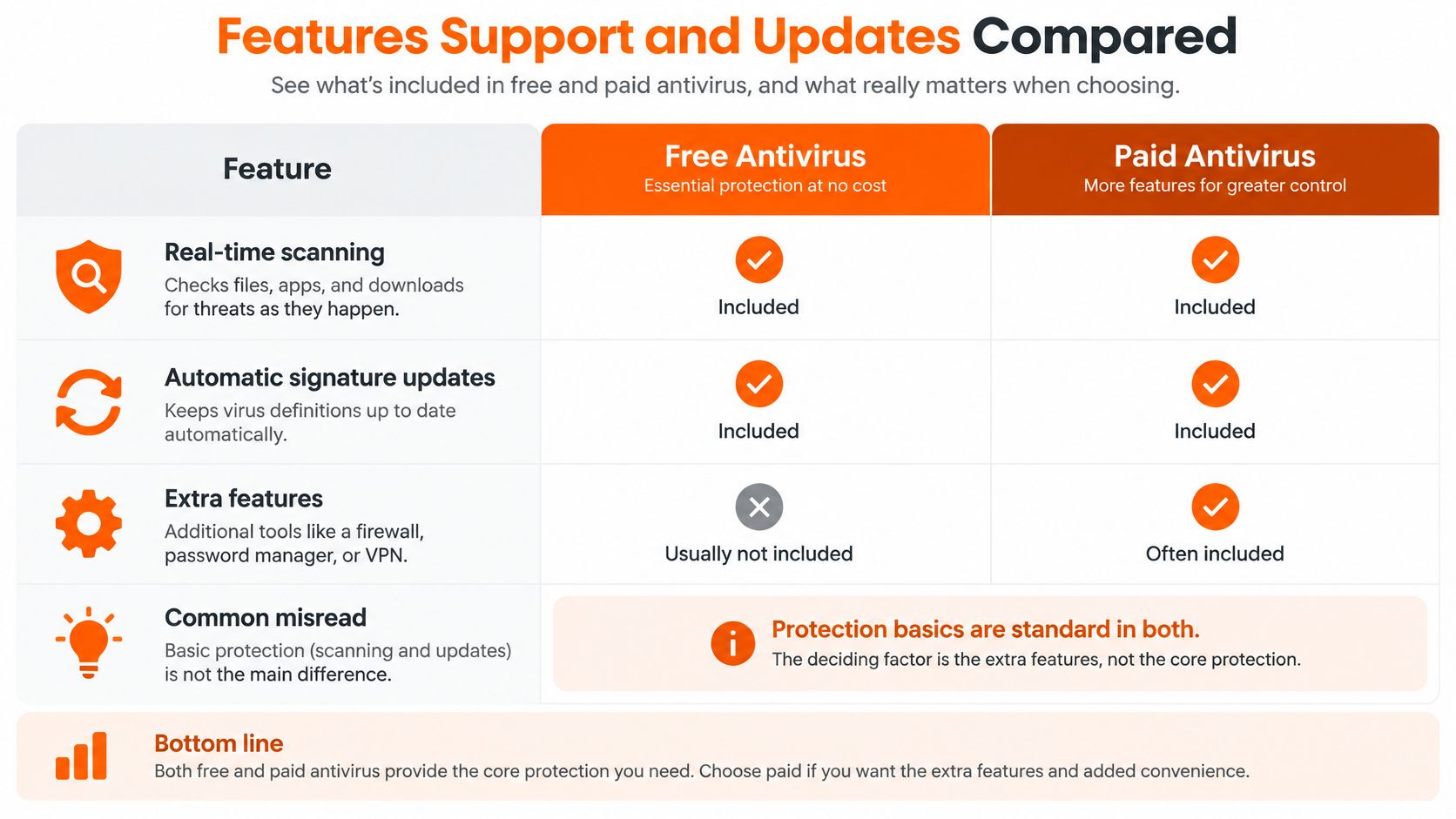
Human support can matter when a scan does not resolve the problem. Free products may direct users to articles or forums; paid plans may offer chat, phone, or remote help. The value depends on whether you need assistance and what the plan includes.
Device limits create another practical reason to pay. A paid license may cover more computers, but the relevant comparison is the total cost for your household, not the size of the feature list.
Add-ons earn their cost only when they address a real need. A VPN that nobody uses, a password manager no one adopts, or parental controls left unconfigured will not close a meaningful protection gap.
The video below walks through the practical differences in plain terms.
Speed and False Alarms Are Separate Tests
Performance is separate from malware protection. In AV-Comparatives' April 2025 Performance Test, 19 consumer security products were evaluated on file copying, archiving and unarchiving, application installation and launch, downloading, and web browsing. Eight products received the highest Advanced+ performance award.
That test measures system impact, not malware blocking. A light product is not automatically safer, and a feature-rich suite is not automatically slower. Compare protection and performance results, then consider the tasks you rely on: launching apps, copying large folders, installing software, or downloading files.
False alarms deserve their own check. AV-Comparatives' malware tests assess false alarms alongside protection, so review false-positive results before choosing a product. Frequent alerts about clean files can make it harder to distinguish a real threat from a mistaken warning.
Keep a product only if its protection meets your needs and the license includes the specific feature or support option you would use.
Privacy Data and Subscription Traps
A scanner sees a lot of your computer. What it reports back, and what it charges you next year, deserve the same scrutiny as its detection score.
Paying can reduce a vendor's advertising incentive, but it doesn't guarantee better privacy. A free product can still be acceptable if its data policy is plain, its lab score is strong, and you can turn off sharing you don't want. The AV-Comparatives Security Survey 2025 found, in a global survey of about 1,300 respondents, that 71.9% used paid or commercial desktop security while 28.1% used free products. That's a preference finding. It isn't proof that paid software detects more threats or treats data better.
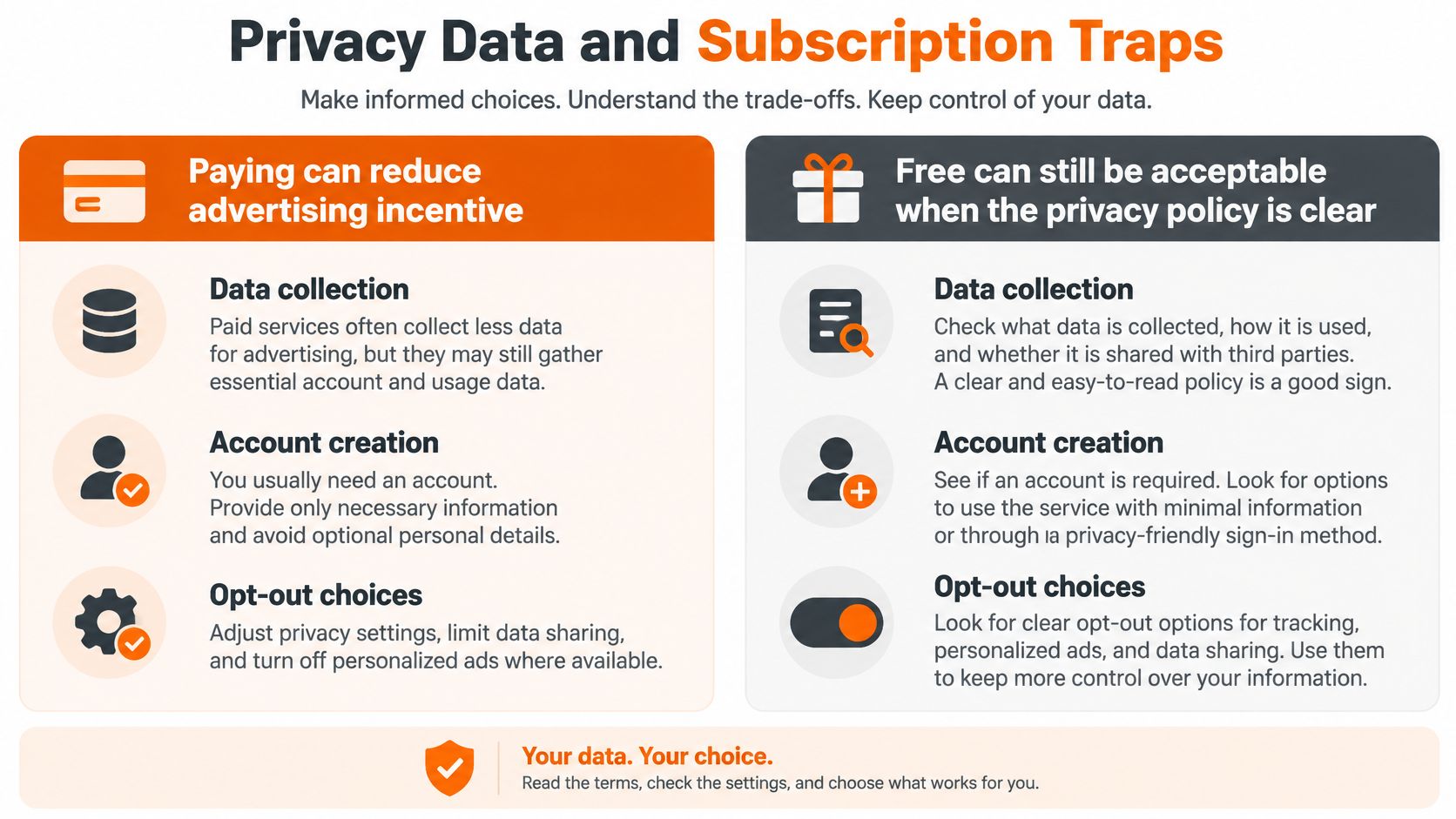
One Case Worth Reading Carefully
In February 2024, the U.S. Federal Trade Commission case against Avast alleged that Avast misled users about privacy protection and sold browsing data for advertising. The agency later announced nearly $15.3 million in consumer payments and said Avast agreed to pay $16.5 million to settle the case.
That case doesn't prove every free product sells data, and it doesn't prove every paid product is clean. It proves you can't infer privacy from price. You have to read the disclosure for the exact product you're installing.
Six Answers to Write Down
- Telemetry collected: Which device, app, and browsing data leaves your computer, and can you limit it?
- Advertising use: Is browsing data used for advertising or shared with partners for that purpose?
- Real device count: How many computers does the quoted price cover?
- Trial conversion: What happens when the trial ends, and is a card required to start?
- Renewal terms: Does the plan auto-renew, and can the renewal price jump?
- Refund window: How do refunds work, and how long do you have to request one?
Two failure modes hide in those answers. A cheap first year can become the expensive product at renewal. A free scanner can be paid for with browsing data instead of money. Neither shows up in a protection score.
Which is the lower-risk choice for this household, a transparent free product or a paid product with stronger support but broader telemetry?
A privacy conscious buyer can stay free or pay. Decide only after those six answers are written down, then use the setup that follows to close the gaps money doesn't close.
Build a Safe Free Antivirus Setup
A free setup works when you stop treating the scanner as the whole defense. Follow these seven steps in order.
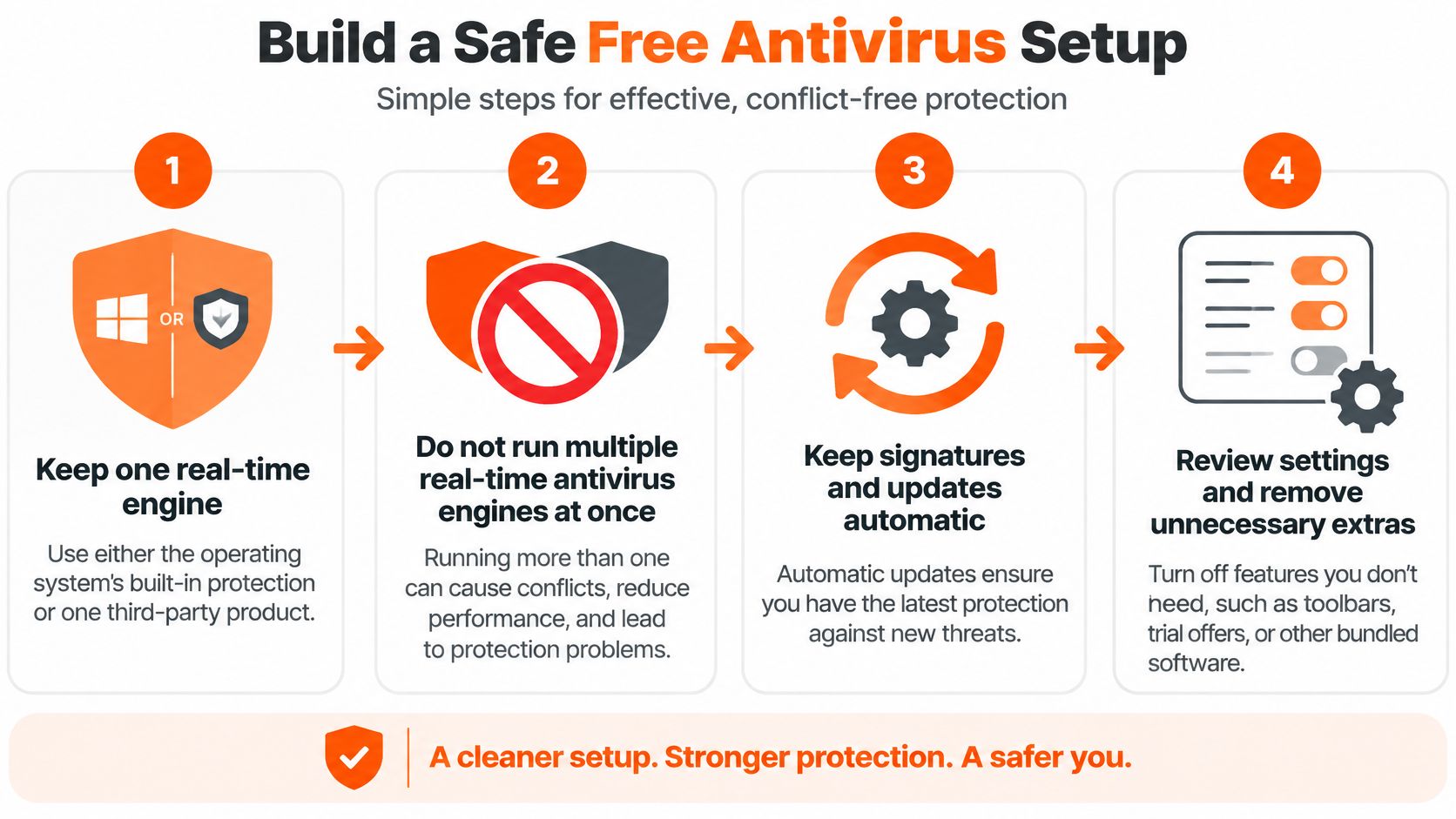
Keep one real-time engine. Use the operating system's built-in protection or one third-party product. Uninstall a second real-time scanner so the two don't fight over the same files and slow or destabilize the machine. The common slip is stacking products because two feels safer than one.
Turn on automatic system and browser updates. Enable automatic updates for Windows or macOS, then update your browser and let it stay current. Malware often enters through patched flaws you left open. Delaying updates for weeks is the slip that undoes a good scanner.
Fix passwords and add multifactor authentication. Replace reused passwords with unique ones, starting with email, banking, and your password store. Turn on multifactor authentication for those accounts. Antivirus can't help if someone signs in with a password reused from a breached site.
Keep a backup ransomware can't encrypt in place. Use an offline drive you unplug after copying, or a cloud backup with its own login. Backing up to a drive that stays attached is the classic mistake, because ransomware can encrypt that copy too.
Verify the product still earns its place. Confirm the free product has a current independent score. Open its settings and check that real-time protection and automatic updates are on. A scanner paused months ago and forgotten is not protection.
Review once a month instead of reinstalling. Look at scan history or the security dashboard for blocked items. Note anything recurring, such as repeated blocks from one download source. Don't swap suites after every alarming headline. Churn creates gaps and leftover components.
Pay only for a named remaining gap. Add a paid plan when you still need parental controls, a second or third device, identity monitoring, or a person to remove an infection. Treat a trial countdown as marketing pressure, not a security failure. If steps one through six are done, your basics are covered.
This setup is the minimum effective bar. A paid suite has to beat it with a specific extra or human help, not just a higher price.
Households That Should Stay Free or Pay
Many people buy based on habit and confidence, not measured detection. Advanced users lean paid, but preference isn't proof. Start from your household's actual gap.
| Household | Lean | Problem the money solves |
|---|---|---|
| One updated PC, backups and unique passwords already in place | Free, if the lab score is strong | No extra problem |
| Gamer or older PC that slows under security software | Either tier with a low-impact score | Speed, which price does not predict |
| Parent managing children's devices | Paid | Parental controls |
| Two or three household computers | Paid | Device coverage and simpler admin |
| Worried about identity theft after a breach | Paid | Monitoring and recovery tools |
| Active pop-ups, suspicious programs, or ransomware notes | Human removal help plus a scanner | Cleanup an install will not finish |
| Home office also stuck on mail, printers, or Wi-Fi | Support plan, not just a suite | A person to fix the surrounding mess |
| Privacy-first user who will read the policy | Whichever product is clearer about data | Advertising use of browsing data |
Reading the Rows
A solo adult with one updated PC, unique passwords, and a backup can stay free on a high scoring product. There's no extra problem for a subscription to solve. Spending money there buys reassurance, not measurable blocking.
A gamer or an older Windows PC needs a different filter. Pick a product that's strong and light, then test it on your own launches, downloads, and large file copies. Either tier can win that test. Price won't predict the result.
Parents and multi computer households are the clearest paid cases. Parental controls, shared device coverage, and one account to manage are concrete functions. If you'll use them weekly, they can justify the subscription on their own.
Identity monitoring after a breach buys a monitoring and recovery layer, not better malware detection. That can be sensible after your data has been exposed. Just don't confuse alerts about your personal information with protection for your PC. They're different jobs.
An infected machine needs removal help plus a scanner, not another license layered on top. Pop-ups, suspicious programs, and ransomware notes suggest something is already running. Installing a new suite may not finish cleanup if the infection interferes with installation or settings.
A home office stuck on mail, printers, or Wi-Fi has a support problem, not a suite problem. A plan that includes a person can solve the surrounding mess that an antivirus was never designed to touch.
For deployment decisions, the AV-Comparatives February to May 2025 Real-World Protection Test shows why product choice beats tier choice. It used 423 live attack cases, and Bitdefender Total Security blocked 422 with one compromise, while Avast Free, AVG Free, and Avira Free were included alongside paid products in the same framework.
Three Actions
- Stay free: Do this when the lab score is high and only habits are missing. Run the seven setup steps and recheck the score when you renew your attention, not a subscription.
- Buy a paid suite: Do this when its extras match a named gap, such as parental controls, several devices, or identity monitoring. Write the gap down before you pay.
- Pay for help: Do this when the gap is an active infection, a slow PC, or the lack of a technician. A license alone won't diagnose why the machine misbehaves.
A Practical Paid Option
247TechTeam is one option that sells software and remote support together. The antivirus includes a 7-day free trial with no credit card required. After that, Antivirus Premium costs $99.99 per device for 1 year and does not auto-renew.
If the gap is ongoing help rather than one license, the Annual Protection Plan costs $199 for 12 months, covers up to 2 computers, and includes up to 24 remote sessions per year, an annual performance tune-up, and priority scheduling.
The trial follows four beats. Download the software, install it, activate the trial or a purchase plan, then leave real-time protection on. That order matters, because downloading without activating leaves you unprotected while you think you're covered.
Remote help has boundaries you should expect from any provider. Our technicians are US based. Sessions require your consent before anything runs on your computer, and technicians never ask for your passwords. If a provider won't state limits like those, don't hand over remote access.
Say a household has two laptops, one parent managing both, and a printer that keeps dropping off Wi-Fi. A suite covers the laptops. It doesn't fix the printer. That household is buying device coverage plus support, whether it realizes it or not.
Say instead a single user has one patched PC, a password manager, multifactor authentication, and an offline backup. A high scoring free product already fits. Paying there should wait until a new problem appears.
Stay free when the lab score is already high and only habits are missing. Pay when a named extra or a human is what the household lacks.
If your gap is a second computer, a stubborn infection, or a support plan that includes a real technician, start the no credit card trial and test protection on your own machine before you commit. Visit 247TechTeam to choose Antivirus Premium for one device or the Annual Protection Plan for up to two computers, then keep only the option that closes the problem you named.
Drafted with Outrank app